
If you have webdesigning skills, you can design your website in your PC first. Once it works perfectly on your PC, you can upload the website contents from your PC to your hosting via FTP application (eg. FileZilla, or,CoreFTP). The login info to your cPanel & FTP are given in our email earlier, subjected "Your cPanel Account Information".
cPanel login info :
cPanel URL/link : (will look like this, eg. www.yourdomain.com/cpanel )
Username : (refer our email with subject "Your cPanel Account Information")
Password : (refer our email with subject "Your cPanel Account Information")
FTP login info :
Host : (your domain name, eg. yourdomain.com - without www. )
Username : (same as your cPanel's username)
Password : (same as your cPanel's password)
Port : 21


All these files must be uploaded into the "public_html" folder in your hosting. IF the name of your front pages file now is home.html or home.php, (or, etc), please make sure that you rename that file to index.html or index.php first, so that this page will automatically appear when people click on your domain name.
If you have little (or zero) knowledge in webdesigning skills, DON'T WORRY, because when you buy our hosting, you are given access to our Softaculous Auto-Installer (in your cPanel), where you can choose to install any web template listed here : https://www.softaculous.com/softwares for FREE.
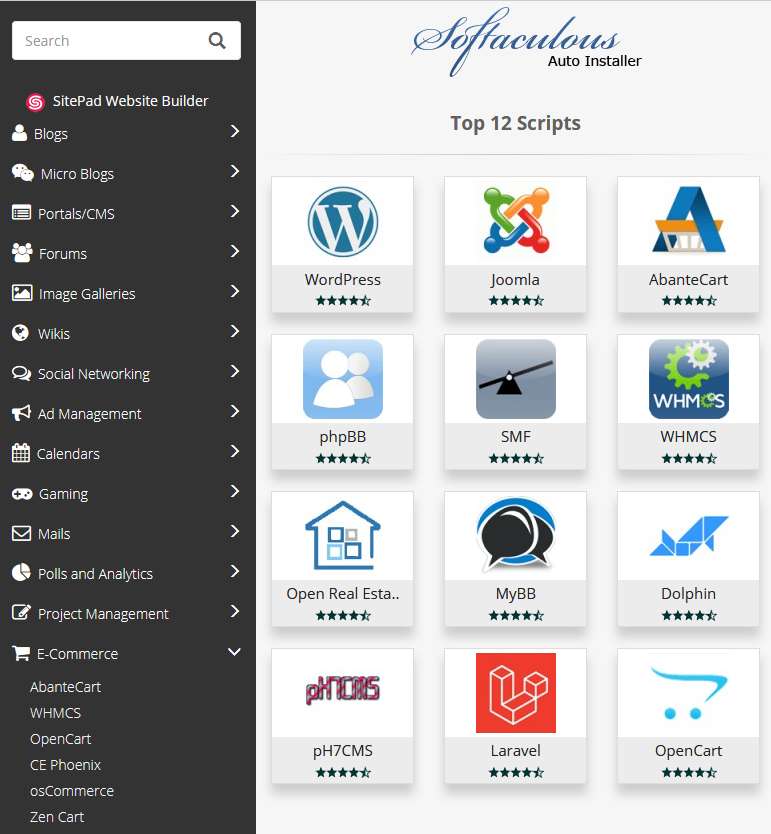
There are more than 375 pre-installed scripts which you can install easily, in just few clicks.
Amongst our popular web templates are :
1) Blog (eg. WordPress) : [Sample] [Installation Demo] [Un-installation Demo]
2) E-Commerce / Shopping Cart (eg. OpenCart) : [Sample] [Installation Demo] [Un-installation Demo]
3) Forum (eg. PhBB) : [Sample] [Installation Demo] [Un-installation Demo]
4) Social Network (eg. Dolphin) : [Sample] [Installation Demo] [Un-installation Demo]
5) Portal/CMS (eg. Joomla, Drupal, Dolphin) : [Sample] [Installation Demo] [Un-installation Demo]
6) Picture Gallery : [Sample] [Installation Demo] [Un-installation Demo]
7) Video Gallery : [Sample] [Installation Demo] [Un-installation Demo]
8) Project Management : [Sample] [Installation Demo] [Un-installation Demo]
9) Customer Support : [Sample] [Installation Demo] [Un-installation Demo]
and many more....
Once installed, you can continue to edit the default template to your own liking.
NOTES :
a) Every template installation requires 1 mySQL database. Therefore, kindly check the specs of your existing hosting plan, whether it has enough database to install your next template.
b) You can choose to install the above templates, either on your main domain, or, subdomain, or, in a subfolder.
For example :
On main domain = www.netkldemo.com [Sample] [Installation Demo] [Un-installation Demo]
On a subdomain = www.ebook.netkldemo.com [Sample] [How to create a Subdomain] [Installation Demo] [Un-installation Demo]
In a subfolder (page) = www.netkldemo.com/article [Sample] [Installation Demo] [Un-installation Demo]
More tutorial videos below.
We strive for the best customer service in the web hosting industry. Period.
We get great feedback like this almost every week (if not every other day)
 Read more reviews here.
Kindly contact our Customer Support team now, for more info/clarification!
NETKL NETWORK PLT (LLP0027483-LGN) No. 2, Jalan Pudu Impian, 56100 Kuala Lumpur, Malaysia.Hotline : +603 4813 7128 (Call Only) (No SMS/Watsapp) | Email : sales@netkl.com or support@netkl.comWorking Days : Monday to Sunday (including Public Holidays) | Working Hours : 10am - 10pm (Email & Phone Support)